Device Access Control — Trusted Devices
A Trusted Device is a specific piece of hardware you pre-approve — identified by its vendor/product IDs and serial number, or by its device instance path. When a policy rule is set to Allow Trusted Devices, only the devices registered here are allowed.
How to get here
- Open Device Control → Device Access Control.
- Click the Trusted Devices tab.
Navigate to: Device Control → Device Access Control → Trusted Devices
URL path: /device-control/device-access-control/trusted-devices
The Trusted Devices screen
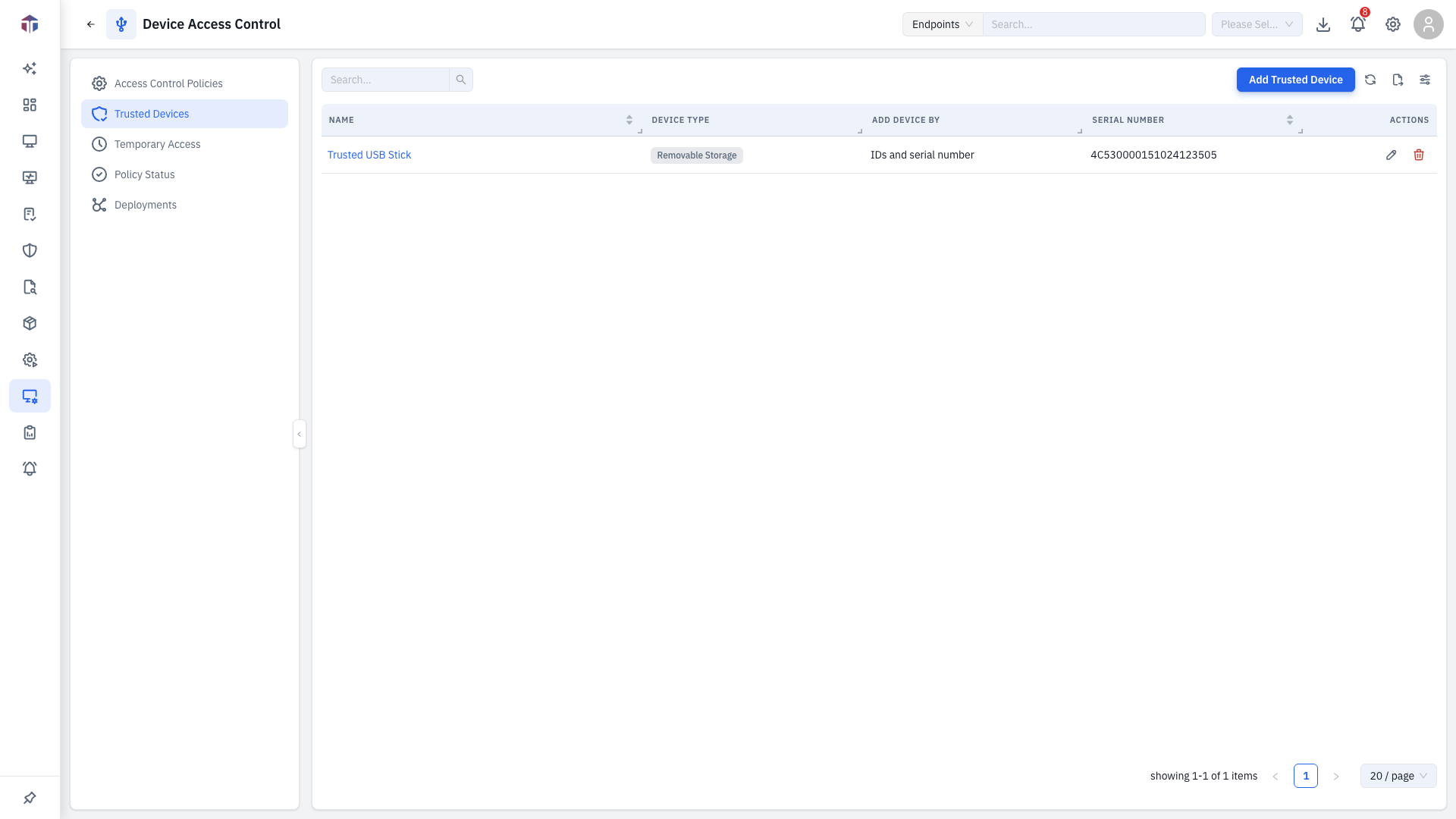

| Column | What it shows |
|---|---|
| Name | A label for the device. |
| Device Type | Removable Storage, CD/DVD, etc. |
| Add Device By | Whether it's matched by IDs/serial or by device path. |
| Vendor ID / Product ID | The USB identifiers. |
| Serial Number | The device serial. |
| Device Instance Path | The Windows device path (when matched that way). |
| Created At | When it was registered. |
How do I register a trusted device?
Click Add Trusted Device. The form opens in a drawer.
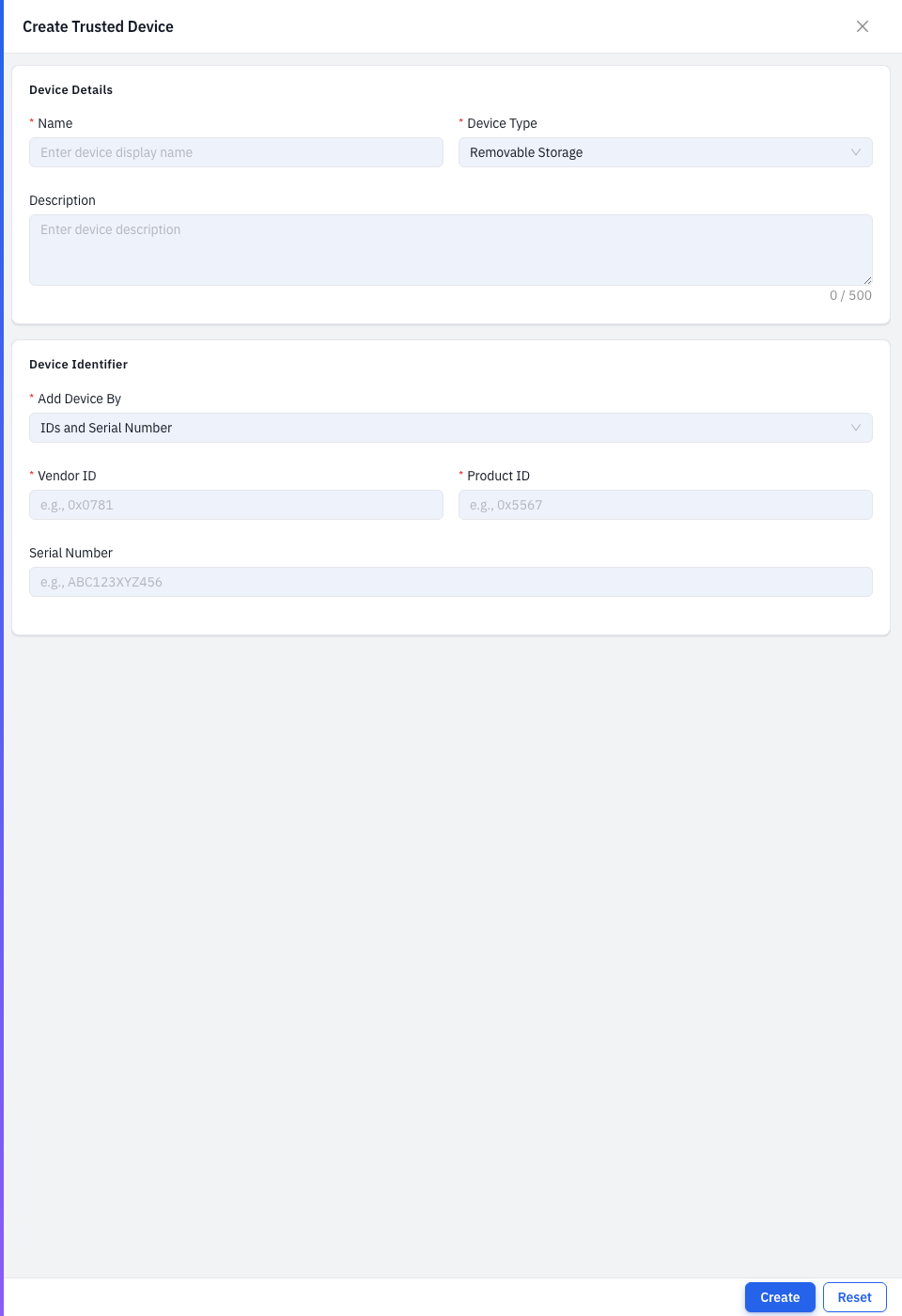

| Field | Required | Notes |
|---|---|---|
| Name | Yes | A label for the device. |
| Device Type | Yes | The kind of device. |
| Add Device By | Yes | IDs and Serial Number, or Device Path. |
| Description | No | A note. |
| Vendor ID | Yes* | 4 hex digits, e.g. 0x0781. *When matching by IDs. |
| Product ID | Yes* | 4 hex digits, e.g. 0x5567. *When matching by IDs. |
| Serial Number | No | The device serial. |
| Device Instance Path | Yes* | e.g. USB\VID_0781&PID_5567\123456789ABCDEF. *When matching by path. |
Save to register the device.
Tips & troubleshooting
- Vendor/Product ID rejected. They must be exactly 4 hexadecimal digits
(
0x0781or0781).
Related
- Policies — set a rule to Allow Trusted Devices and pick from here.