Stability
The Stability tab answers: what crashes or hangs on my endpoints, why, and how do I fix it? It counts OS crashes (blue screens, kernel panics and unexpected shutdowns), app crashes and app hangs, groups them by reason, and shows the catalogued fix for each code. It feeds the Stability area of the experience score.
Same as all of DEX: the EndpointOps licence and View Inventory permission. This
tab replaces the old OS Performance tab: /dex/os-performance redirects here.
How to get here
You need View Inventory permission.
- In the left menu, click DEX.
- Click the Stability tab.
Navigate to: DEX → Stability
URL path: /dex/stability. With a reason open, the URL carries it (for example
/dex/stability?reason=…), so you can share a link straight to one reason.
The filter line (department, location, period) applies to everything on the tab.
The Stability screen
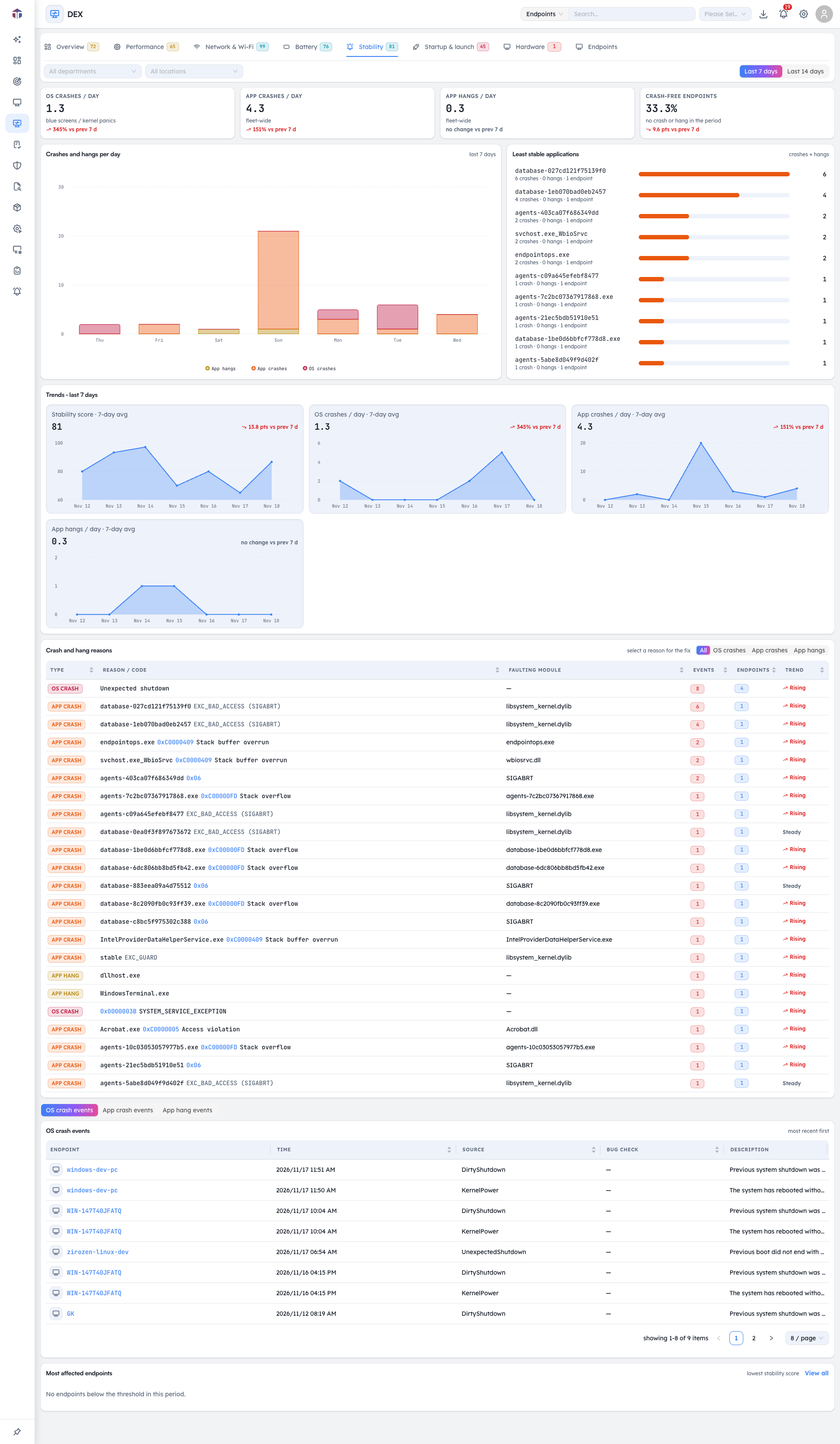
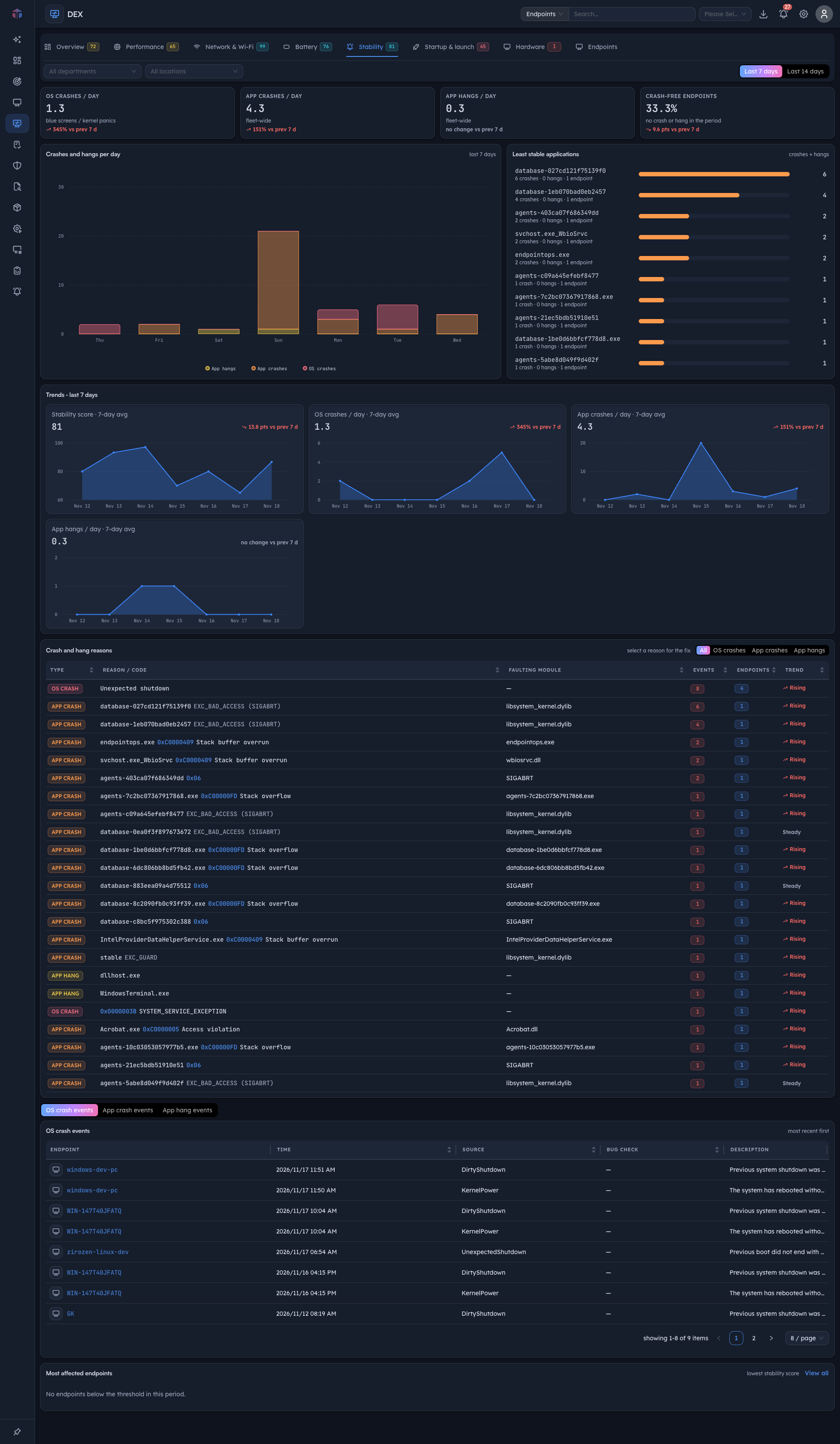
KPI tiles
| Tile | What it shows |
|---|---|
| OS crashes / day | Blue screens and kernel panics per day. |
| App crashes / day | Fleet-wide. |
| App hangs / day | Fleet-wide. |
| Crash-free endpoints | The share of endpoints with no crash or hang in the period. |
Each tile shows its change against the previous period.
Crashes and hangs per day
A stacked bar per day: App hangs, App crashes and OS crashes.
Least stable applications
The processes with the most crashes plus hangs, as bars. Under each name: N crashes · N hangs · N endpoints. Click a bar to list the endpoints where that process crashed or hung.
Trends
Daily charts for the Stability score, OS crashes / day, App crashes / day and App hangs / day.
Crash and hang reasons
Every reason in the period, one row each. Use the switch at the top right to show All, OS crashes, App crashes or App hangs.
| Column | What it shows |
|---|---|
| Type | OS CRASH, APP CRASH or APP HANG. |
| Reason / code | For an app crash, the process, its exception code and the code's name (for example endpointops.exe 0xC0000409 Stack buffer overrun). For an OS crash, the bug check code and name (for example 0x0000003B SYSTEM_SERVICE_EXCEPTION), or Unexpected shutdown when no code was recorded. For a hang, the process. |
| Faulting module | The module the crash happened in, or —. |
| Events | How many times it happened in the period. |
| Endpoints | How many endpoints it happened on. Click the count to list them. |
| Trend | Rising, Falling or Steady against the previous period. — when the previous period is older than the server's event history. |
Sort by clicking a column header.
- Click a code (it's a link) to open its lookup drawer: Bug check … for an OS crash, Exception … for an app crash. It shows the description, common causes, recommended fix and commands (see Code lookup drawers).
- Click anywhere else on the row to open the reason's drawer.
The reason drawer
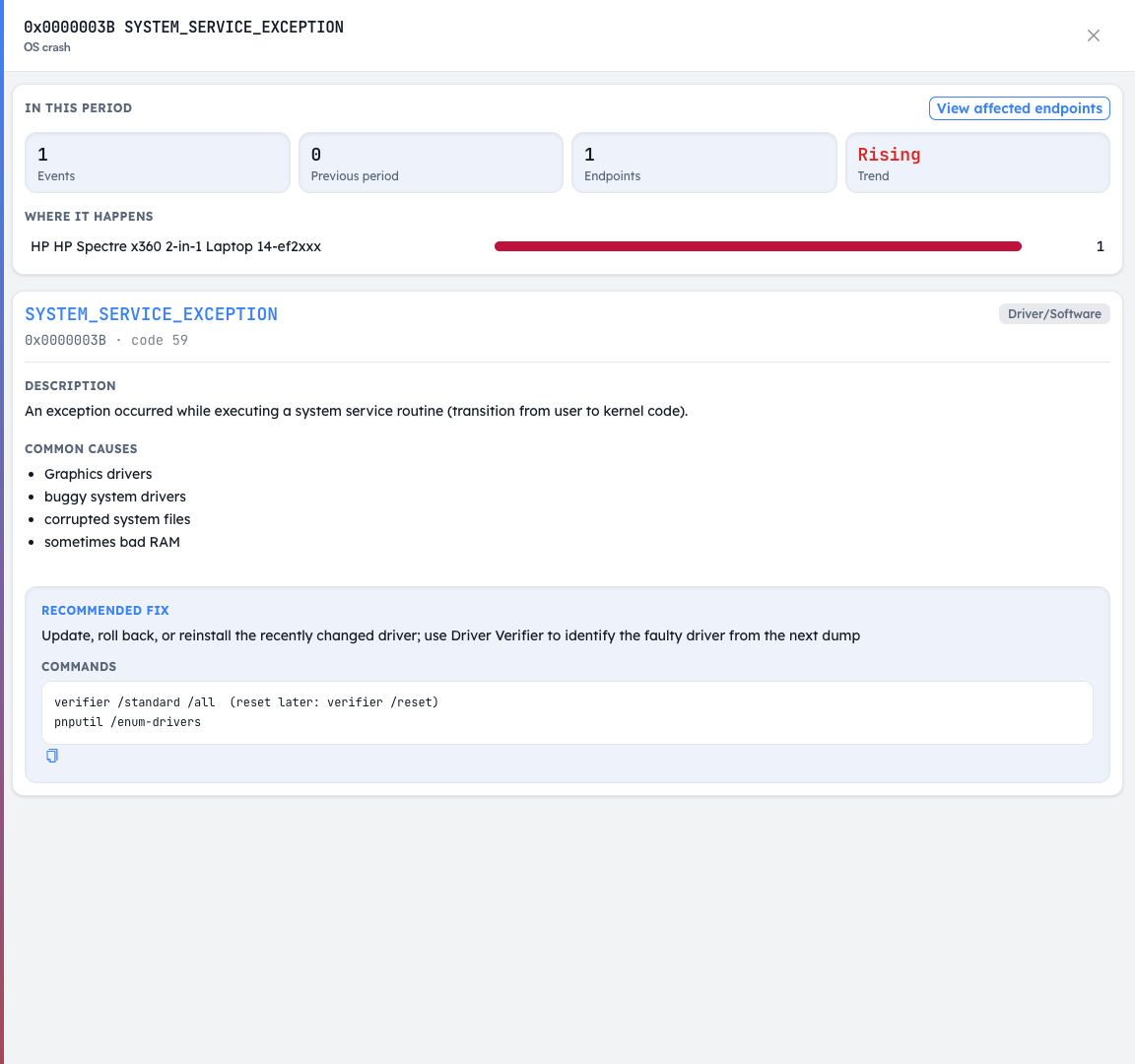
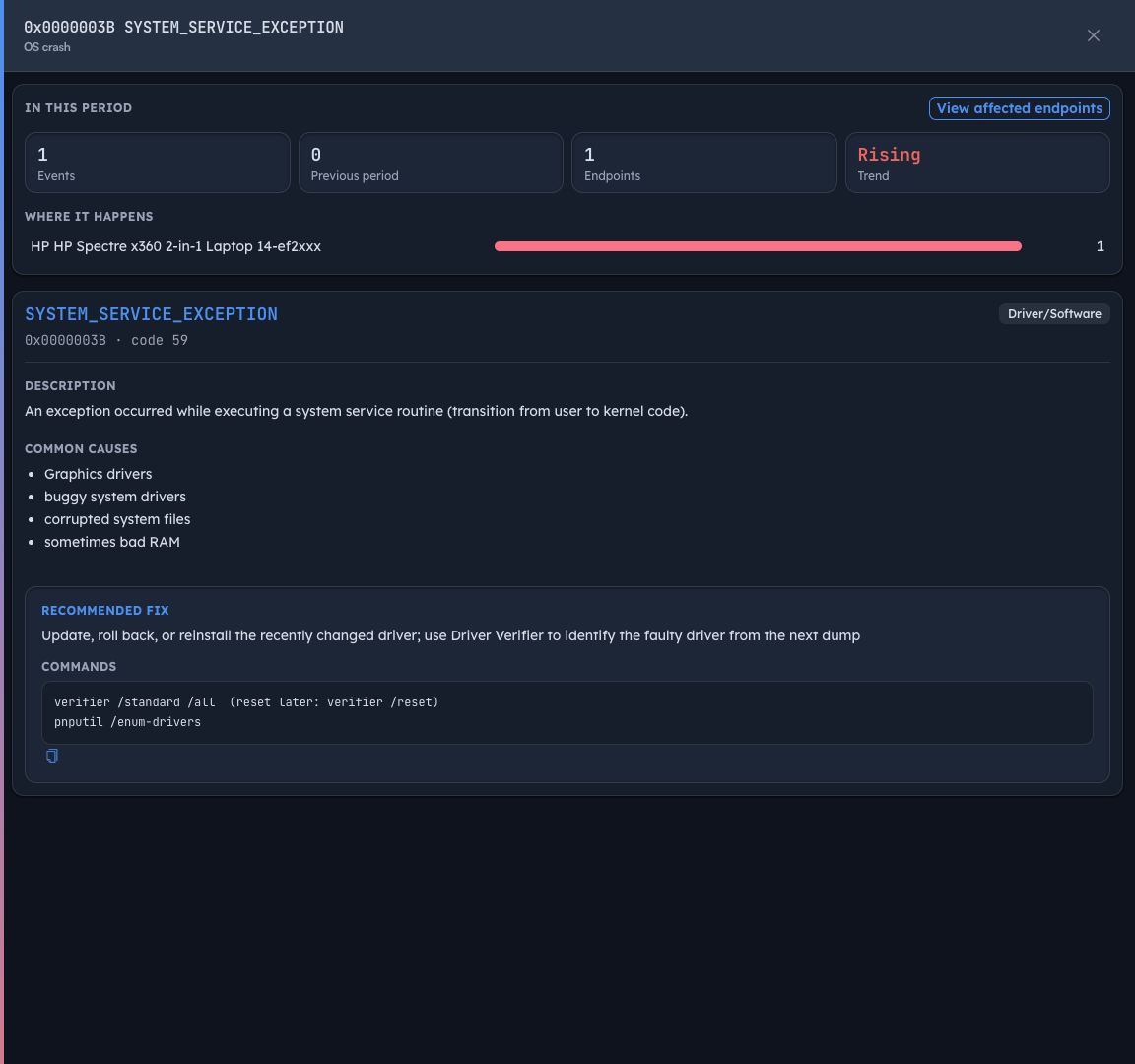
The drawer's title is the reason, with its type and faulting module under it.
In this period
| Figure | Meaning |
|---|---|
| Events | Events in the period. |
| Previous period | Events in the period before it. |
| Endpoints | Endpoints it happened on. |
| Trend | Rising, Falling or Steady. |
- View affected endpoints lists those endpoints in a drawer.
- Where it happens breaks the endpoints down by hardware model. Click a model's bar to list just those endpoints (endpoints without a model are grouped as Unknown, which can't be listed).
The fix
Below the counts is the reference catalogue's entry for the code: the name, the code, a category tag (for example Driver/Software), then Description, Common causes, Recommended fix and Commands. Click the copy icon next to the commands to copy them, one per line.
- App hangs have no code, so the drawer suggests checking the application version and what it waits on (disk, network).
- App crashes without a Windows exception code (for example a macOS exception type) aren't in the catalogue; the drawer suggests checking the faulting module and the application version.
- Unexpected shutdowns have no bug check code: they usually mean power loss or a forced restart.
- A code that isn't in the catalogue says This bug check code is not in the reference catalogue or No details for this exception code.
Close the drawer to return to the table.
Code lookup drawers
Clicking a code anywhere in DEX (the reasons table, the Overview's top reasons, an event list) opens a drawer titled Bug check 0x… or Exception 0x… with the same catalogue entry: name, code, category, Description, Common causes, Recommended fix and Commands. For an exception code that isn't catalogued, it shows Code facts decoded from the code itself instead (such as its severity and facility).
Event lists
Switch between OS crash events, App crash events and App hang events. Each list shows the most recent events first, 8 per page:
| List | Columns |
|---|---|
| OS crash events | Endpoint, Time, Source, Bug check (click to look it up), Description |
| App crash events | Endpoint, Time, Process, Faulting module, Exception (click a Windows exception code to look it up) |
| App hang events | Endpoint, Time, Process, Hang type |
Click a host name to open its DEX endpoint page.
Without the DEX analytics API, the event lists always cover the last 7 days and ignore the period and filters; a note under the list says so.
Most affected endpoints
The six endpoints with the lowest Stability score: Endpoint, Department, Stability score, Trend, Main issue. View all lists every endpoint with a low stability score in a drawer.
How do I fix a recurring crash?
- In Crash and hang reasons, click the switch for the type you care about and sort by Events or Endpoints.
- Click the row. The reason drawer opens.
- Check Trend and Where it happens: a single model points to a driver or firmware issue on that model.
- Read the Recommended fix and copy the Commands if any.
- Click View affected endpoints, then a host name, then Open in Inventory to act on a machine.
Tips & troubleshooting
- A reason shows Unexpected shutdown. No bug check was recorded, which usually means power loss or a forced restart. The Hardware tab shows hardware errors for the same endpoints.
- Trend shows —. The previous period reaches past the event history the server keeps.