Progressive Deployment Status
e The live rollout view for one progressive deployment — ring-by-ring progress, health, and the controls to pause, resume, approve, or cancel. You open it by clicking a deployment in the Progressive Deployment list.
How to get here
- Open Patch → Progressive Deployment (see Progressive Deployment).
- Click a deployment.
URL path: /patch/progressive-deployment/{id}
The detail screen
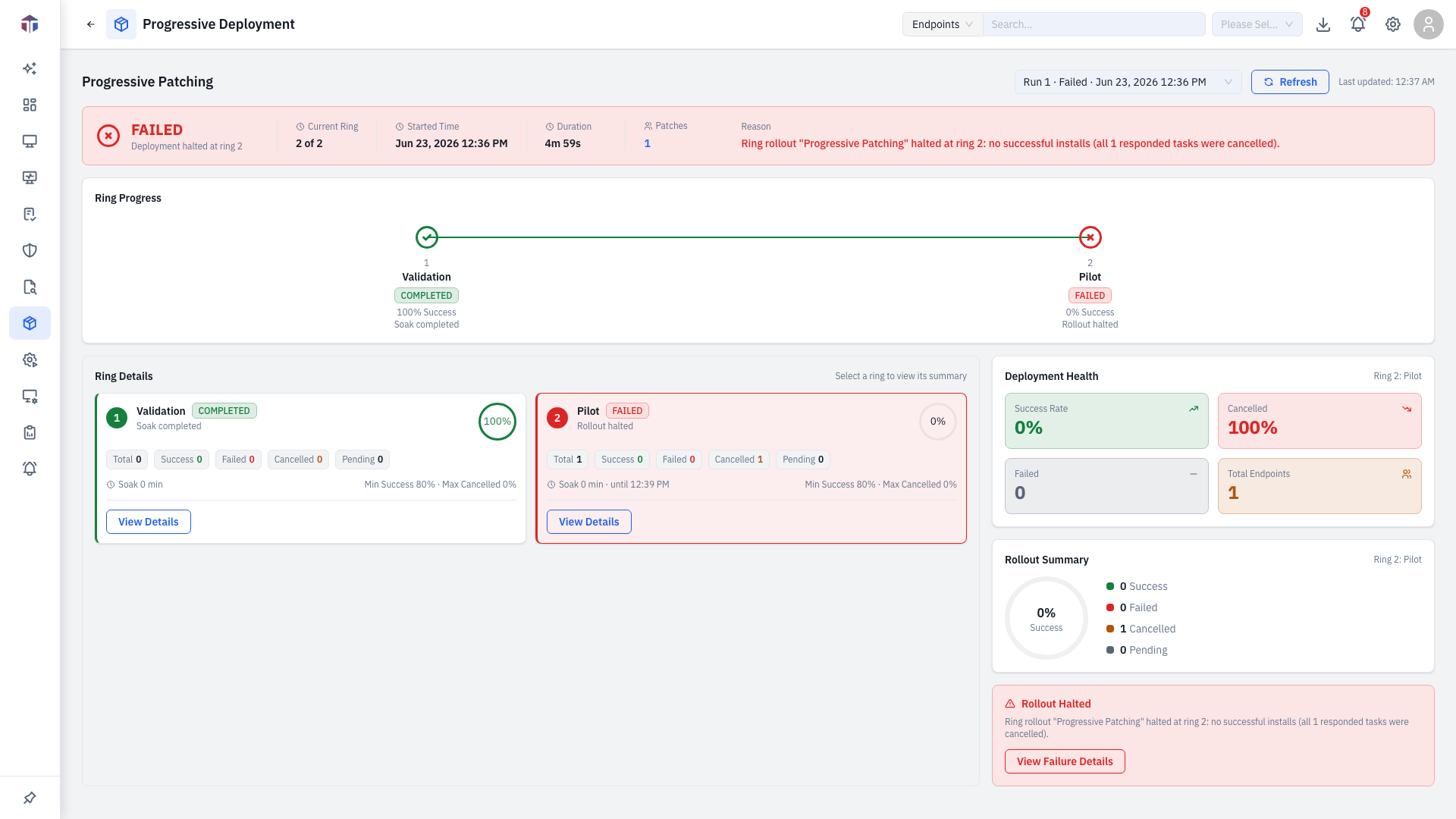
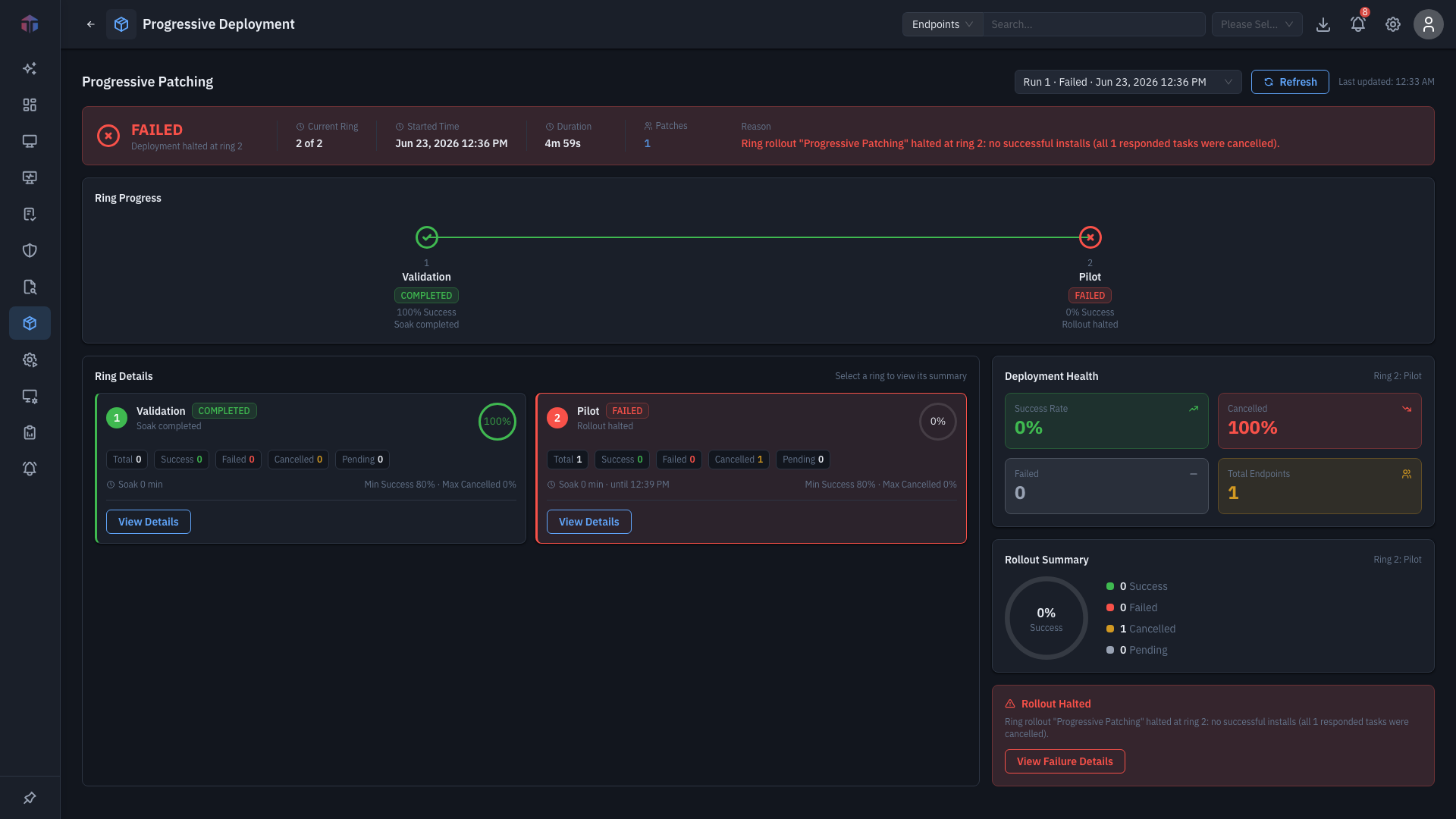
- A run selector + refresh + last-updated time at the top (the view auto-refreshes an active run every 30 seconds).
- A status banner with the current ring (
X of Y), start time, duration, a clickable Patches count, and any failure reason. - A ring stepper — Validation → Pilot → Controlled → Production — each node coloured by status (completed / failed / in-progress) with its success %.
- Ring cards — per ring: a success progress circle; Total / Success / Failed / Cancelled / Pending chips; soak time; Min Success % / Max Cancelled % thresholds; and ring actions (Pause, Resume, Approve & Promote, Cancel) plus View Details.
- A sidebar: an approval-required alert (with Approve & Promote), Deployment Health (success/cancelled/failed/total), a Rollout Summary progress circle, and a halted alert with View Failure Details when a ring fails.
Drill-downs
- View Details / View Failure Details → a Ring Deployment Tasks drawer (per-endpoint task statuses and logs).
- The banner Patches count → a drawer listing the patches in the rollout (ID, Title, Severity, Platform, Category, KBID, Release Date).
Tips & troubleshooting
- Stuck "awaiting approval". A ring on Manual Hold needs Approve & Promote to continue.
- Rollout halted. A ring breached its thresholds — open View Failure Details to see which endpoints failed.
Cancel and Pause affect a live rollout
Cancel stops the deployment — endpoints already mid-install aren't automatically reverted, and a cancelled rollout can't be resumed (you'd create a new one). Pause holds promotion but lets the current ring's in-flight work finish. Use Approve & Promote only after you've confirmed the current ring is healthy.
Related
- Progressive Deployment — the list and the create form.