Agent Configuration
Tune how the EndpointOps agent behaves on your endpoints — how much bandwidth it may use, how often it collects each kind of data, and whether it's protected from being uninstalled.
How to get here
You reach this page through Settings, so you need administrator (settings) permission. If you don't see the Settings icon, ask your administrator for access.
- Sign in to EndpointOps.
- In the top-right of any screen, click the Settings (gear ⚙️) icon.
- In the Settings menu on the left, open Agent Management and click Agent Configuration.
Navigate to: Settings → Agent Management → Agent Configuration
URL path: /settings/agent-management/agent-configuration
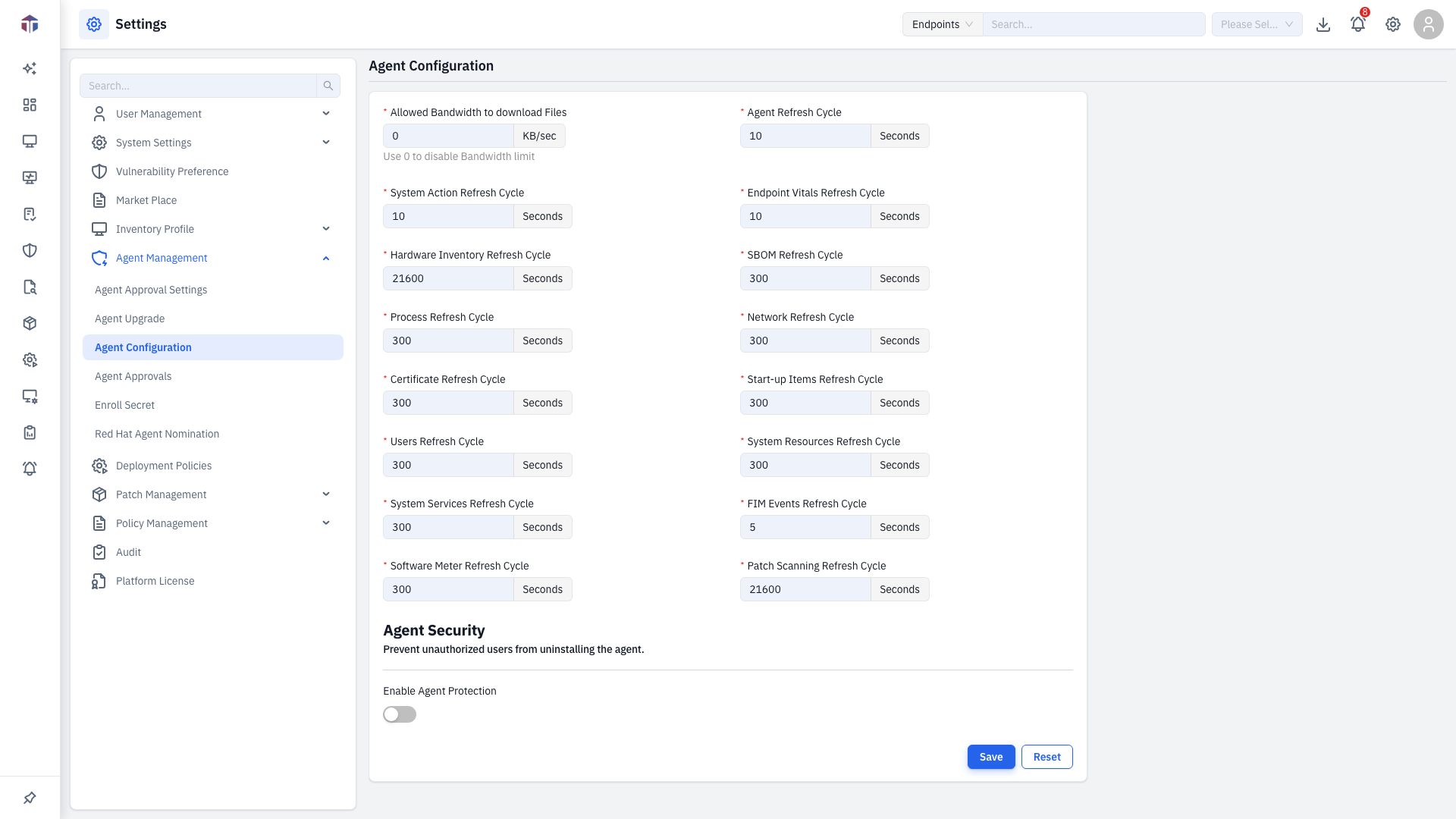
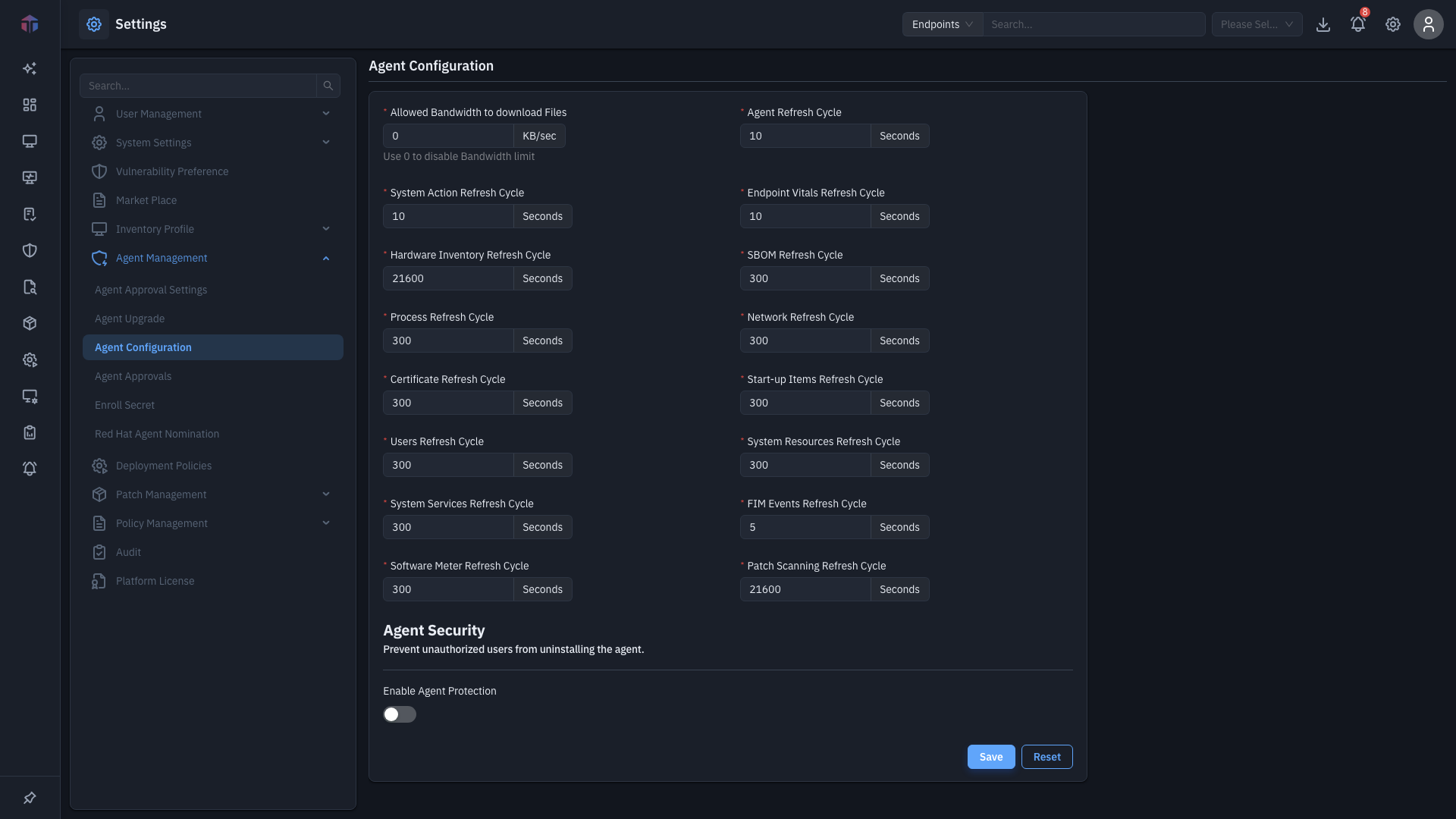
The Agent Configuration screen
Bandwidth
| Field | Unit | Notes |
|---|---|---|
| Allowed Bandwidth to download Files | KB/sec | How fast the agent may download files. Use 0 to disable the limit. |
Refresh cycles
How often the agent collects each kind of data (all in seconds, each required):
| Setting | Minimum |
|---|---|
| Agent Refresh Cycle | 10 |
| System Action Refresh Cycle | 5 |
| Endpoint Vitals Refresh Cycle | 5 |
| Patch Scanning Refresh Cycle | 1000 |
| Hardware Inventory Refresh Cycle | 5 |
| SBOM Refresh Cycle | 5 |
| Process Refresh Cycle | 5 |
| Network Refresh Cycle | 5 |
| Certificate Refresh Cycle | 5 |
| Start-up Items Refresh Cycle | 5 |
| Users Refresh Cycle | 5 |
| System Resources Refresh Cycle | 5 |
| System Services Refresh Cycle | 5 |
| FIM Events Refresh Cycle | 5 |
| Software Meter Refresh Cycle | 5 |
Agent Security
| Field | Notes |
|---|---|
| Enable Agent Protection | Prevent unauthorized users from uninstalling the agent. |
| Password | Required when protection is on. Must meet your Password Policy. Shown only when protection is enabled. |
How do I change it?
- Set the bandwidth limit and any refresh cycles you want to change.
- To stop endpoints from removing the agent, turn on Enable Agent Protection and set a Password.
- Click Save. Use Reset to undo unsaved changes.
When Enable Agent Protection is on, the agent can't be uninstalled without this Password — that's the point, but it also means you need it to remove or reinstall the agent later. Store it somewhere safe and shared with your team. If it's lost, removing the agent from endpoints becomes much harder.
Lower refresh-cycle values collect data more often but use more endpoint and network resources. Raise them on large or bandwidth-limited fleets.
The refresh-cycle timers are managed from the default (provider) tenant in a multi-tenant deployment.
Related
- Agent Approval Settings — how enrolling agents are approved.